How to test your FTP indoors
Choose the ramp test if you want it short and simple, the 20-minute test if you can pace yourself. Either way: rest the day before, warm up well, and test on the trainer you train on.
By Niels Meereboer, who makes VeloWatt Pro
Ramp or twenty minutes?
Both tests give you an FTP. They ask different things of you.
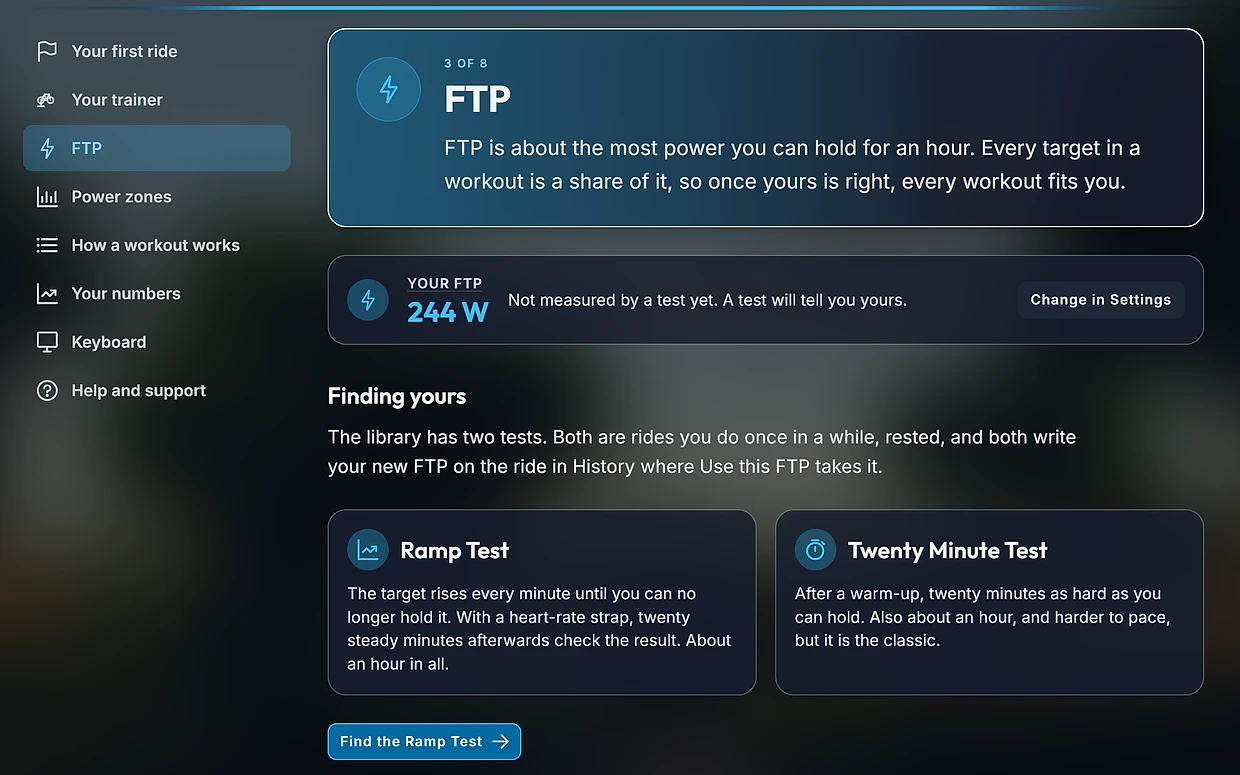
- The ramp test raises the target every minute until you cannot hold it any more. There is nothing to pace and nothing to decide: you ride until you stop. Your FTP is 75% of your best minute. It suits newcomers and anyone who dreads a long effort.
- The 20-minute test is twenty minutes as hard as you can hold, evenly. Your FTP is 95% of your average. It asks more of your pacing and your head, and rewards riders who are good at long, steady efforts.
Before you test
A test is only as good as the day you do it on. Give it a fair chance:
- Ride easily or not at all the day before.
- Eat as you would before a hard session, and have a bottle within reach.
- Put a strong fan on you. Indoors there is no wind to cool you, and heat costs watts.
- If your trainer asks to be calibrated, do it after ten minutes of riding, before the test.
- Use the same trainer and the same bike you train on, so your zones fit where you use them.
The ramp test, step by step
After a warm-up, the target starts low and rises a little each minute. Your trainer holds the watts for you in ERG, so all you do is keep the pedals turning. The first minutes are easy; the last two are very hard. Stop when you can no longer hold the target, not a moment before.
Your FTP is three quarters of your best minute. Riders with a strong sprint sometimes get a number that is a little high, so in VeloWatt Pro the ramp can check itself: wear a heart-rate strap, and twenty steady minutes after a short rest tell the app whether to move the result up or down.
The 20-minute test, step by step
Warm up for at least fifteen minutes, with two or three short, brisk efforts to wake your legs. Then ride twenty minutes as hard as you can hold, on a flat road and without ERG, so you set the pace yourself.
Pacing decides the result. Start at the power you believe you can hold and keep it there for the first ten minutes. If you feel good at fifteen, lift it. Empty yourself in the last two. A test that starts too hard and fades gives a number lower than your real one.
After the test
Take the new number and let your workouts follow it. In VeloWatt Pro the new FTP is written on the ride in History, and one press there makes it yours: from then on every workout, every zone and every chart works from it.
A surprising result is usually the day, not you. If it is much lower than you expected, ask yourself how you slept, ate and felt, and test again a week later.
How often to test
Every six to eight weeks while you train regularly, after a break, and whenever your workouts start to feel too easy or too hard. More often than that tells you little: an FTP does not move from week to week.
Questions
Why did my ramp test give a higher FTP than my 20-minute test?
The ramp rewards a strong finish over the last minutes, which some riders have plenty of. If your two tests differ, the 20-minute result is usually closer to what you can hold for an hour. With a heart-rate strap, the ramp in VeloWatt Pro checks itself.
Should I test in ERG?
For the ramp test, yes: the trainer raising the target for you is what makes it simple. For the 20-minute test, no: you need to set and feel the pace yourself.
I stopped the ramp test too early. Does it still count?
It counts, but it reads low. If you know you had more in you, do it again in a week, and keep going until the target really is beyond you.